



TL;DR
- Send professional quotes to customers with line items, taxes, and shipping, all from your Itemstores dashboard.
- Customers pay directly from a branded quote page. No back-and-forth over email or DMs.
- Inventory is automatically reserved when you send a quote, so you'll never oversell.
- Quotes convert to orders with one click once payment is collected.
If you sell custom products, decorated apparel, or anything that requires a conversation before a sale, you know the drill: a customer reaches out, you put together pricing in a spreadsheet or a DM, they ask for changes, you update the numbers, and somewhere along the way you lose track of who owes what. It's messy, it's manual, and it doesn't scale.
Today we're introducing quoting in Itemstores: a built-in way to create, send, and collect payment on quotes without ever leaving the platform.
How it works
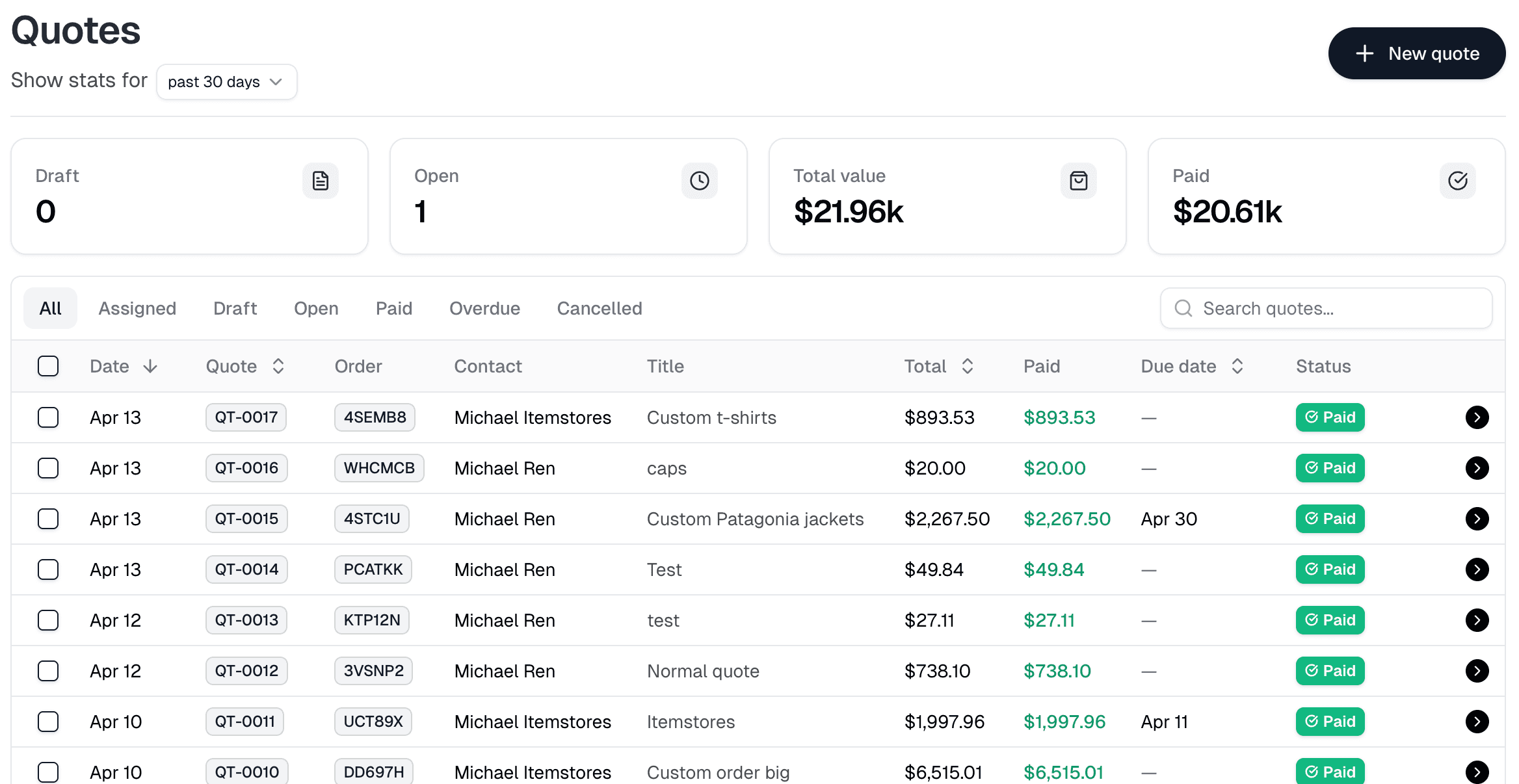
Quoting in Itemstores follows a simple lifecycle: draft, send, collect payment, convert to order. Each step is handled inside the platform, so there's no jumping between tools.
1. Create a quote
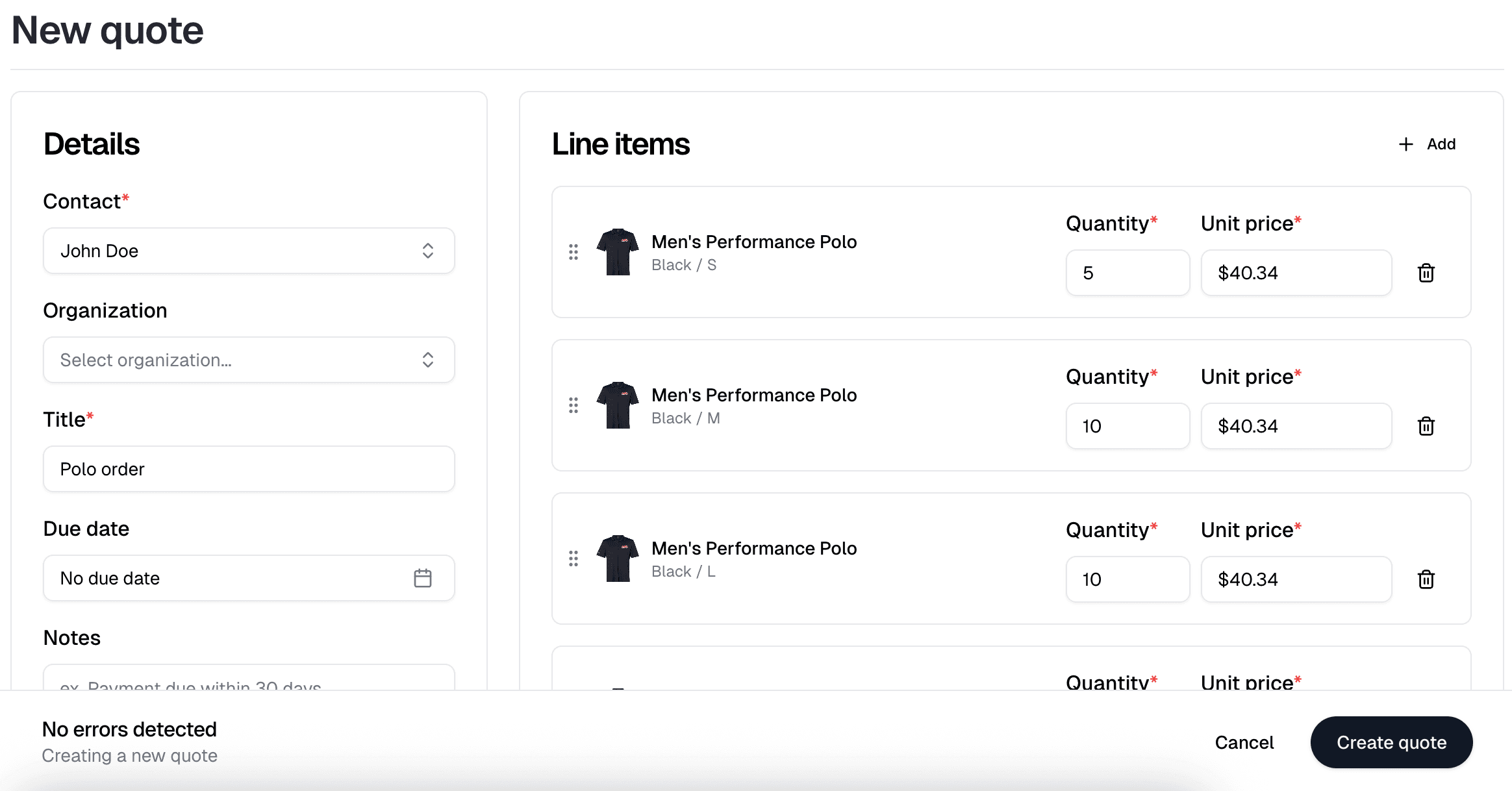
Start a new quote from your dashboard. Add a contact, pick products from your catalog, and include any surcharges, shipping costs, or discounts. You can also add a title, notes, a due date, and assign team members to keep things organized.
Every line item pulls directly from your product catalog, so pricing stays consistent and inventory is always accurate. Need to add a setup fee or an art charge? Add it as a surcharge line item and it'll show up clearly on the customer's quote.
2. Send it to your customer
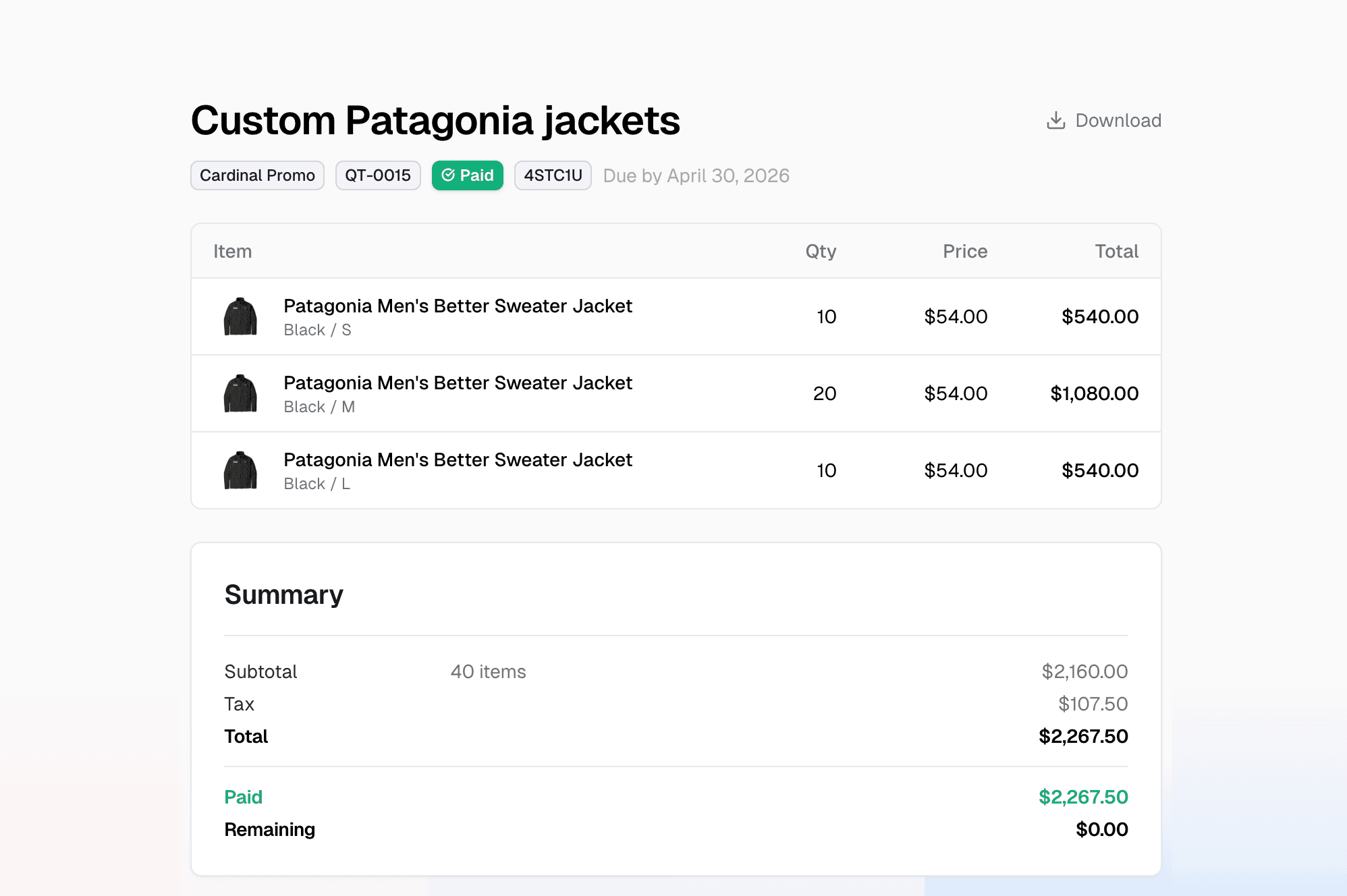
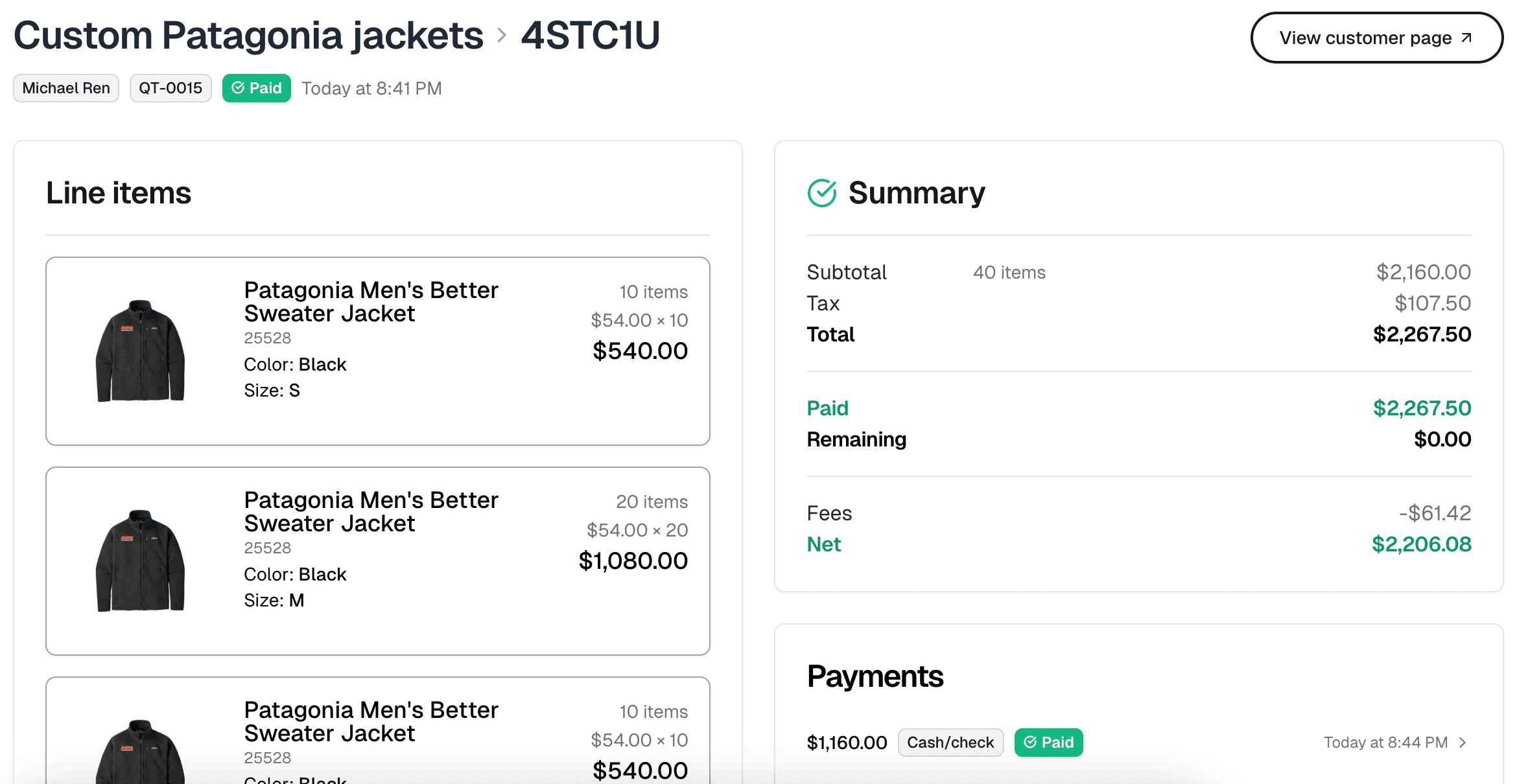
When you're happy with the quote, hit send for approval. Your customer receives an email with a link to a branded quote page where they can review every line item, see the total, and pay directly by card or with a manual payment you record on your end (cash, check, etc.).
Behind the scenes, sending the quote automatically reserves inventory for every product on it. That means you won't accidentally sell the same stock to two different customers while waiting for a response.
3. Collect payment and convert to an order
Customers can pay the full amount or make partial payments, whatever works for your business. You can also record cash or check payments manually. Once the quote is fully paid, it converts to an order automatically, and the reserved inventory is captured as sold.
No re-entering data. No copy-pasting line items into a separate order. The quote becomes the order.
Built for how you actually sell
We built quoting because the sellers on our platform kept telling us the same thing: the sale doesn't always start with an Add to cart button. Sometimes it starts with a text message, a phone call, or a conversation at a trade show. Quoting bridges that gap. It lets you close sales that start offline and track them in the same place as everything else.
Here's what you get out of the box:
- Product, surcharge, shipping, and discount line items to model any deal structure.
- Automatic tax calculation with taxes computed and shown as separate line items.
- Inventory reservation so stock is held the moment you send the quote.
- Partial payments to collect deposits upfront and the balance later.
- Quote numbering with auto-generated sequential numbers (QT-0001, QT-0002, …) for easy reference.
- Team assignments so you can assign quotes to team members and nothing falls through the cracks.
- Expiration and cancellation where quotes can expire or be canceled, and reserved inventory is released automatically.
- One-click order conversion so paid quotes become orders with no extra work.
Who this is for
If any of these sound like you, quoting was built with you in mind:
- Custom apparel and decorated goods sellers who negotiate pricing on bulk orders before production.
- Fundraiser and team store organizers who need to collect deposits before placing an order with a supplier.
- Small businesses and makers who take custom commissions and want a more professional way to bill clients.
- Wholesale sellers who offer volume-based pricing and want to send a formal quote before fulfillment.
Try it
Quoting is available now on all Itemstores plans, including the free Starter license. Head to your dashboard to create your first quote. It takes about two minutes.