


Collect and report sales tax on your store orders
We add the right sales tax at checkout automatically, wherever you're registered. When it's time to file, you already know what you collected.
$0/mo
Free forever
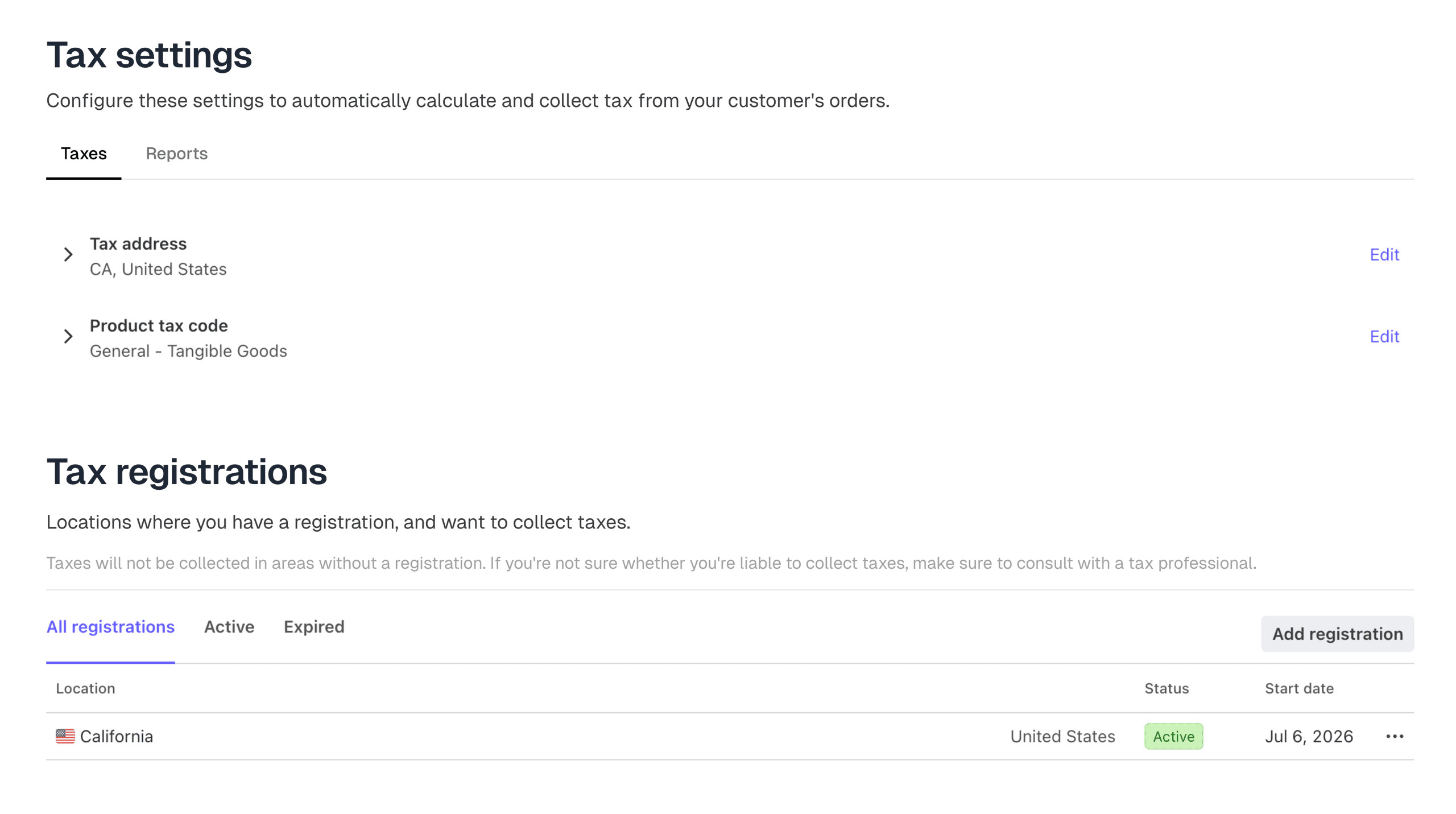
Where you register, we collect
Expand into a new state without a tax headache. Orders from there carry the right tax the day you add the registration.
Tax season, already sorted
Collect taxes, store by store
A tax-exempt school store never charges tax it shouldn't. Tax applies only to the stores and quotes that need it.
Tax codes on products
Set the right tax code on a whole catalog in one pass.
Refunds already taken out
We take refunded tax out of your totals. You never file on money you gave back.
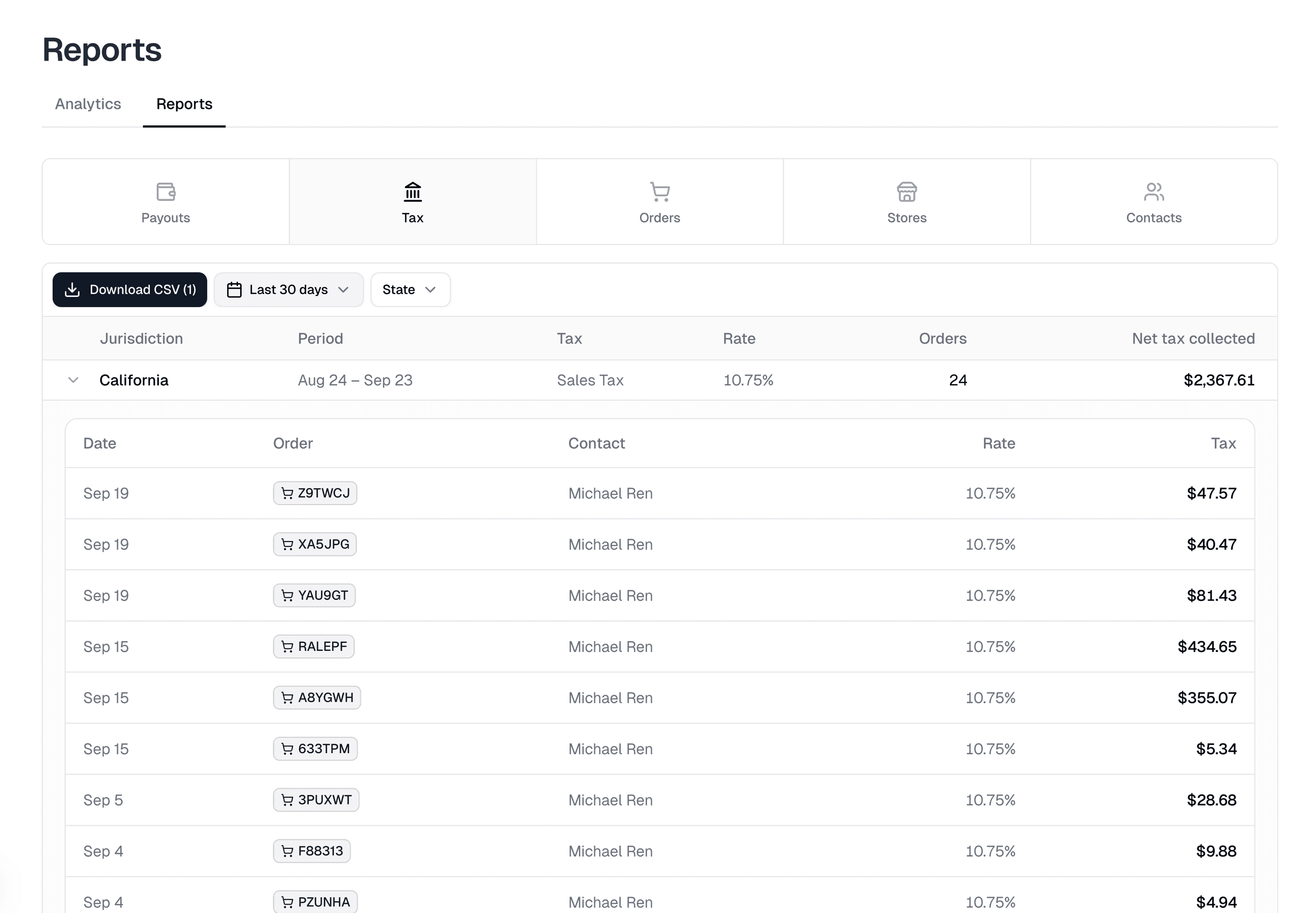
Numbers your accountant can use
A summary for each tax area, plus every order behind it for your records.
Frequently asked questions
Does Itemstores file my sales tax returns?
No. We calculate and collect the tax at checkout, and the tax report shows what you collected in each jurisdiction. You or your accountant file and pay the returns.
How does Itemstores calculate sales tax?
Automatically, from the customer's address and each product's tax code. Tax is only collected in places where you've added a tax registration.
Can I turn off sales tax for one store?
Yes. Turn off tax collection for a store in its advanced settings, and turn it off on any single quote too.
What happens to the tax when I refund an order?
The tax report shows net tax collected. The share of tax that went back to the customer with a refund or chargeback is taken out. The report never asks you to pay tax you returned.
Can I export sales tax collected by state?
Yes. Filter the tax report by date and state, then download it as a CSV. You get one file with a row per jurisdiction and a second with every order behind those rows.
Does sales tax sync to QuickBooks Online?
Yes, if you've connected QuickBooks. Each sales receipt Itemstores posts carries the tax collected at checkout, and QuickBooks automated sales tax records it.
Ready to get started?
No subscriptions. No website hosting fees. Share your link and start selling today.