
Building a bundle
Give it a Bundle name and a description, then Add product for each product that makes it up. A bundle needs at least one, and Remove takes one back out. Each item carries a Quantity, so a bundle can include two of one shirt and one of another. If a product has variants, each attribute gets a Required control, such as Required Color. Pick a value to fix it for everyone, or leave it on N/A so the customer chooses at checkout. You can fix one attribute and leave another open, for example a required color in any size.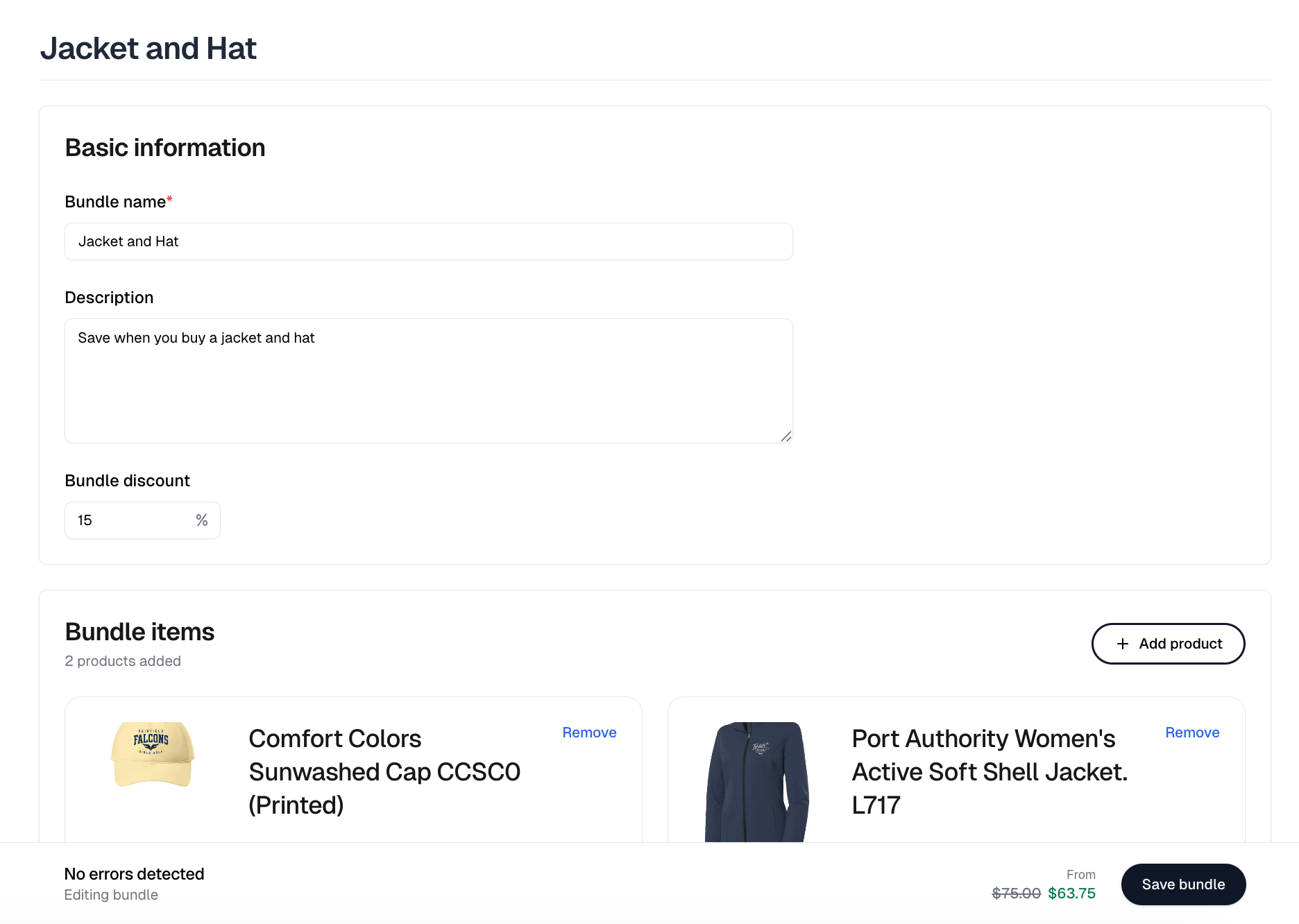
Bundle discount
Bundle discount is a whole percentage, 0 to 100, off the combined price of the items. Leave it at zero to sell the bundle at the sum of its parts. The bar at the bottom of the form tracks the result under From, which is the cheapest combination of the items you have added. Items can have variants at different prices, so a bundle has no single price. A bundle at full price shows a range on the storefront, and a discounted one shows its cheapest combination struck through beside the discounted figure and a percent-off badge. On the storefront the customer picks each item’s variants in place, with the original price struck through beside the discounted one. An item carrying a required personalization question has to be answered before Add to cart will work.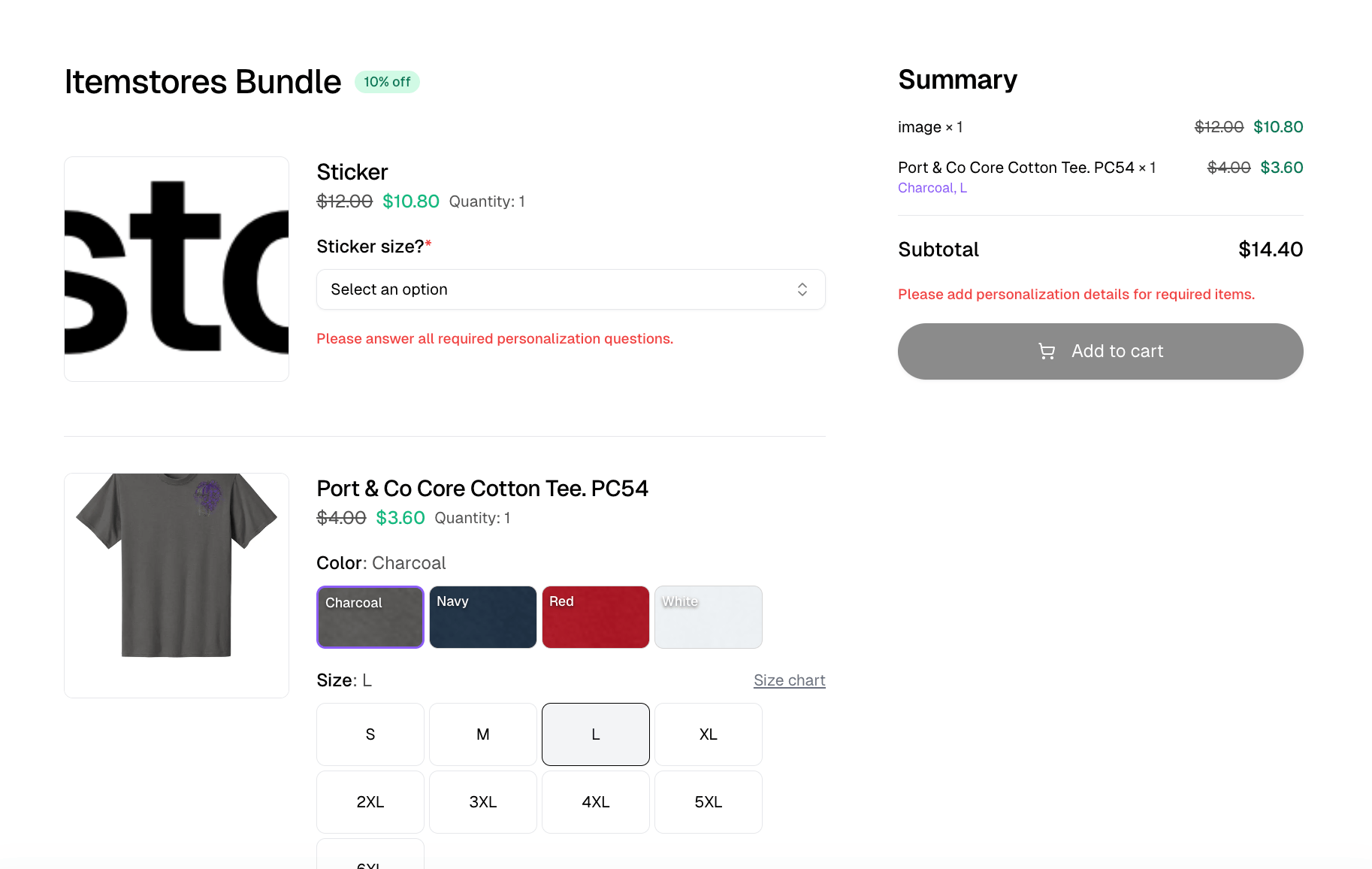
The bundles list
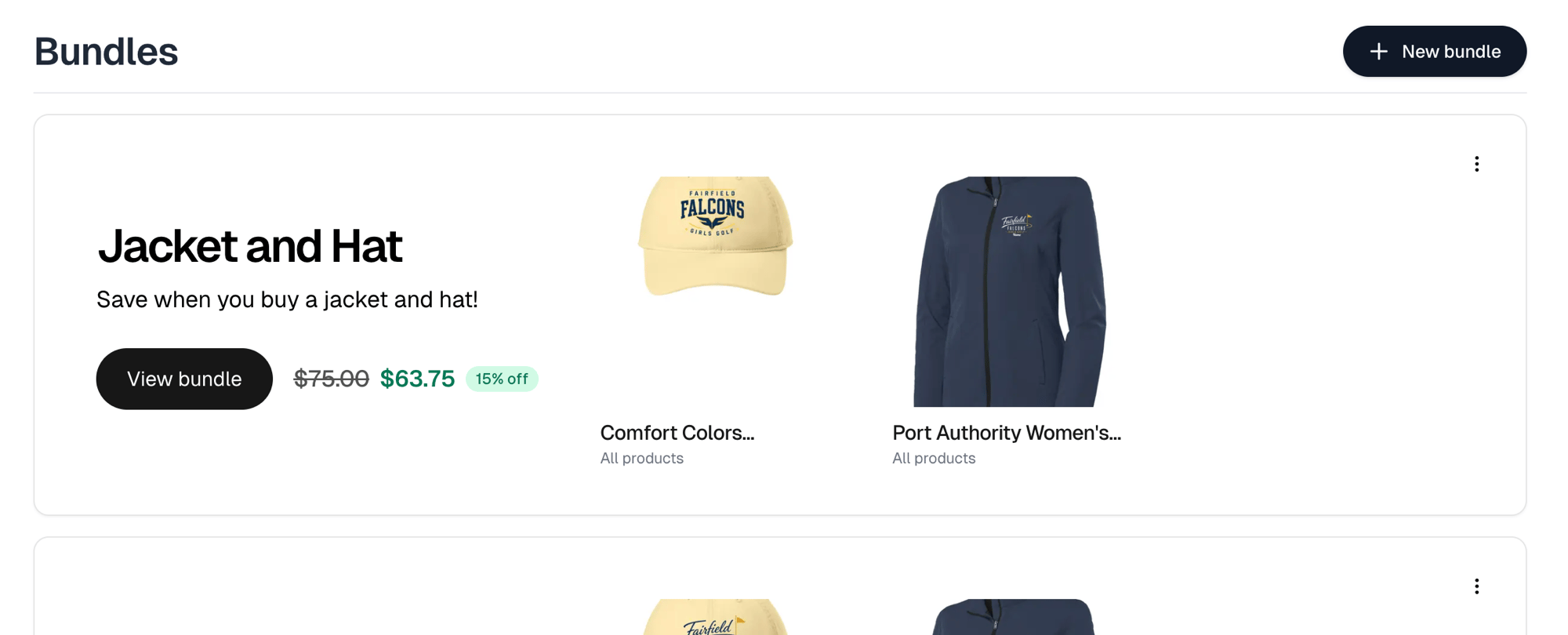
Each bundle is a card carrying its items and its price. The card’s menu offers Edit bundle, Deactivate or Activate, and Delete, which is permanent. A card also flags what would stop a customer buying it: Inactive, One or more items out of stock, Has inactive items and Has archived items.A Store bundles section on the store’s website lists only active bundles, so
deactivating one takes it off the storefront without deleting it.