Your personal settings. Everything here is yours alone, not your business’s.
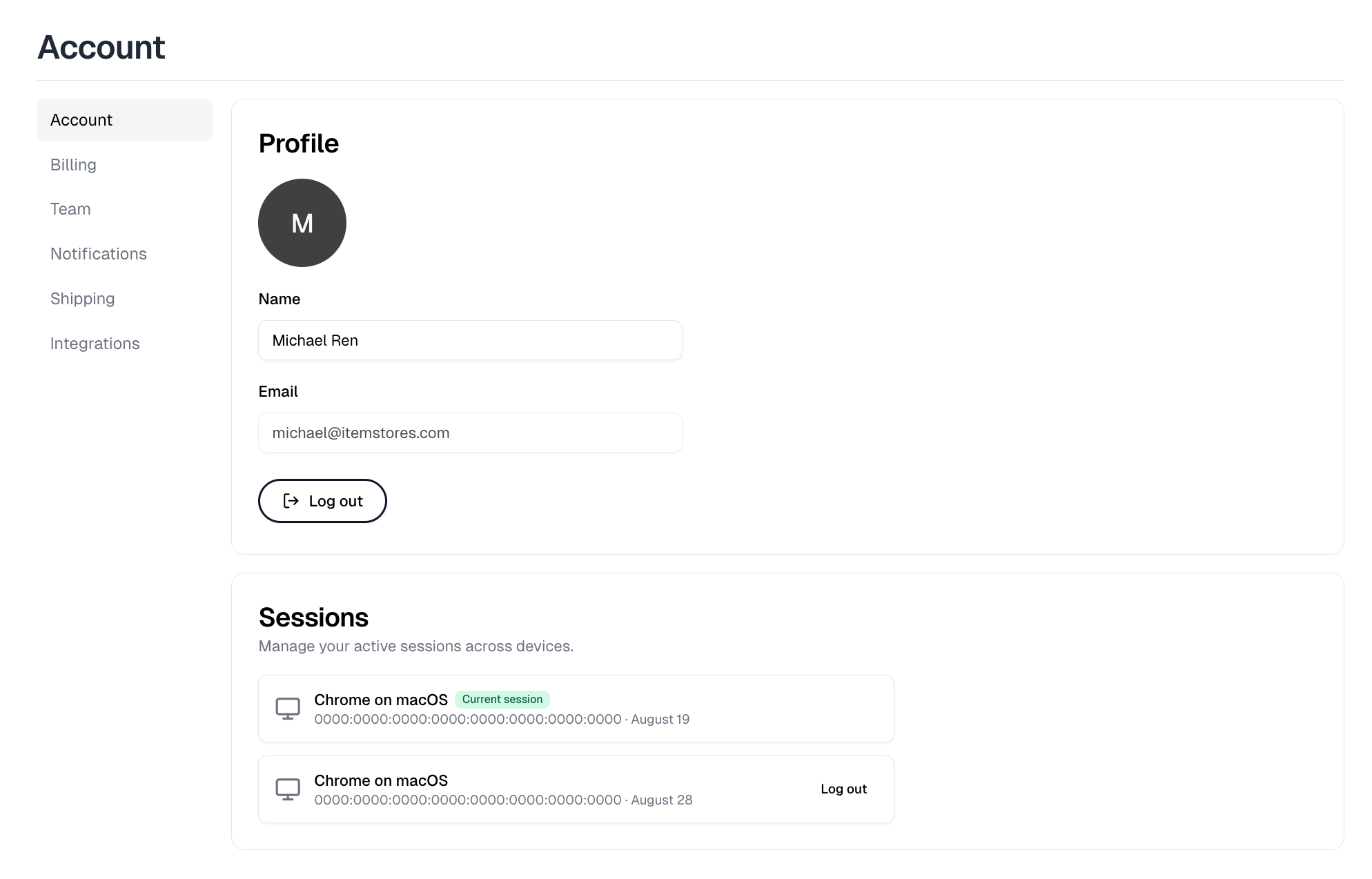
Settings, Account, with the profile fields above the list of active sessions

Profile

Your photo, name and email. Selecting the photo opens Profile picture, where Upload sets one and Remove clears it. Edit your name and a Save button appears beside it. Your email is fixed, so contact support to change it. Log out ends your session here.

Upgrade license

Businesses that are not yet on Full get an Upgrade license banner at the top of this page. It buys the Full license in a single payment, which removes the Starter limits, drops the Itemstores transaction fee from 5.9% to 2.9% and unlocks team members and integrations. It appears only for the owner and admins, and only once Stripe is connected.

What you see depends on how you signed up

The Security section holds two-factor authentication and your password. Google accounts have neither, because Google handles both, so that section does not appear at all.

Two-factor authentication

Email and password accounts have two-factor on already. A verification code is emailed at each login, so there is no authenticator app. Turning it off sends a confirmation link to your email, and the change takes effect when you click that link rather than when you flip the switch. Turning it back on asks for your password.

Password

Change password emails you a reset link. You cannot set a new password directly on the page.

Sessions

Every device signed into your account, with your current one marked. Log out ends one, and Revoke all other sessions ends every one but this, which appears once there is more than one other session. Use it after signing in somewhere shared, or to force a sign-out everywhere after changing your password.