
Stats
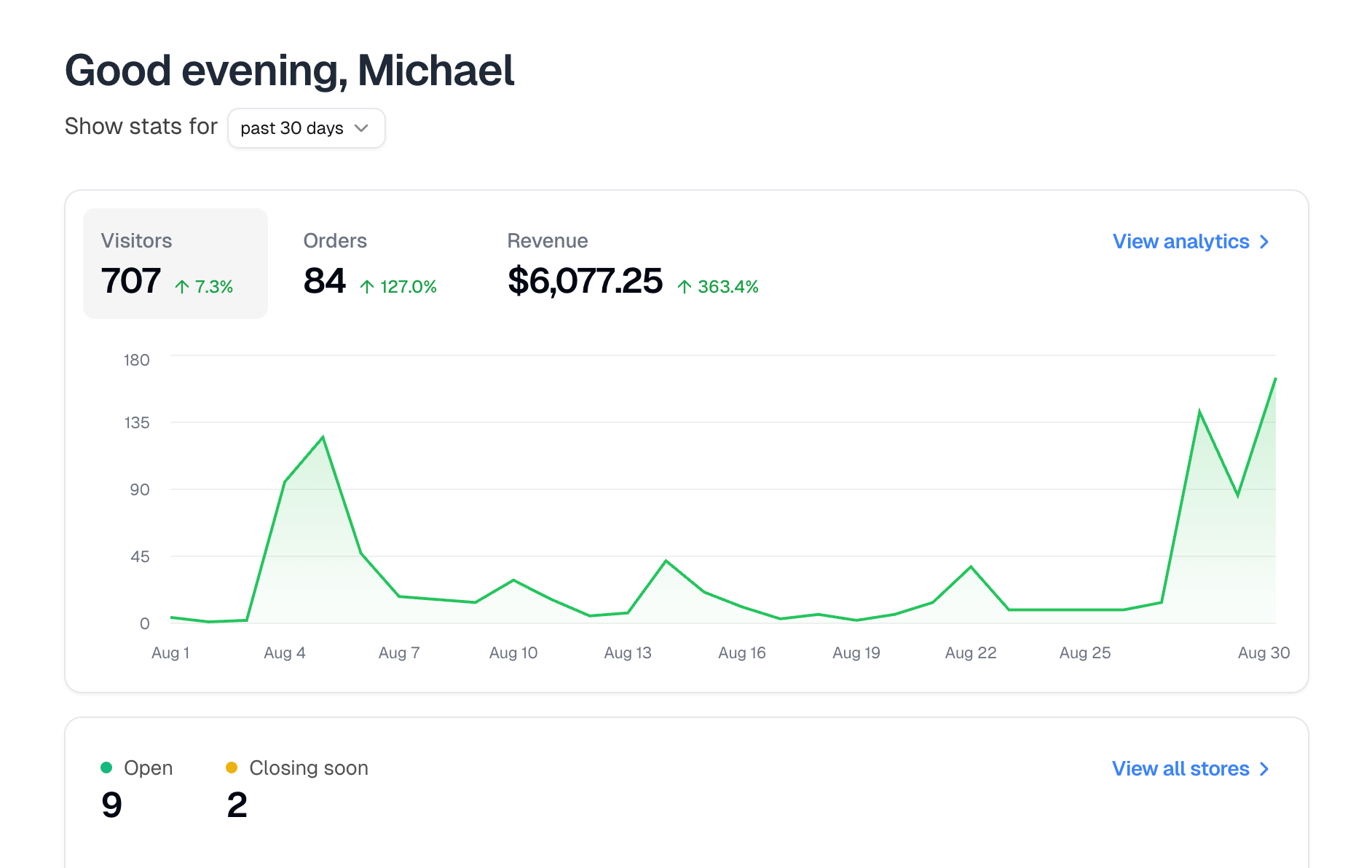
Visitors, Orders and Revenue for the window, charted, with View analytics for the full breakdown.Stores
How many stores are Open, and how many are Closing soon, meaning their deadline falls within the next seven days. Up to three stores are listed beneath: open ones first by nearest deadline, then recently closed, then not yet open. View all stores opens the rest. Each shows its status, its link, and its revenue. That figure covers the store’s whole life rather than the selected window.Orders
The same counts as Analytics: Incomplete, Unfulfilled, Pending delivery and Completed. Only Completed is limited to the window. The other three count every order sitting in that state right now. Below them sit five orders, incomplete ones first, then pending delivery, then the most recent of the rest, each with its payment, fulfillment, delivery and shipping status.Finances
Your Credits balance, and a referral link. When someone signs up through it and their business reaches $200 in revenue, you earn $200 in credits.Finances only appears if you are the business owner or an admin.