A proposal is for design review. Customers approve or reject items individually,
before any pricing is set. Later you carry the ones you want into a
quote.
Building one
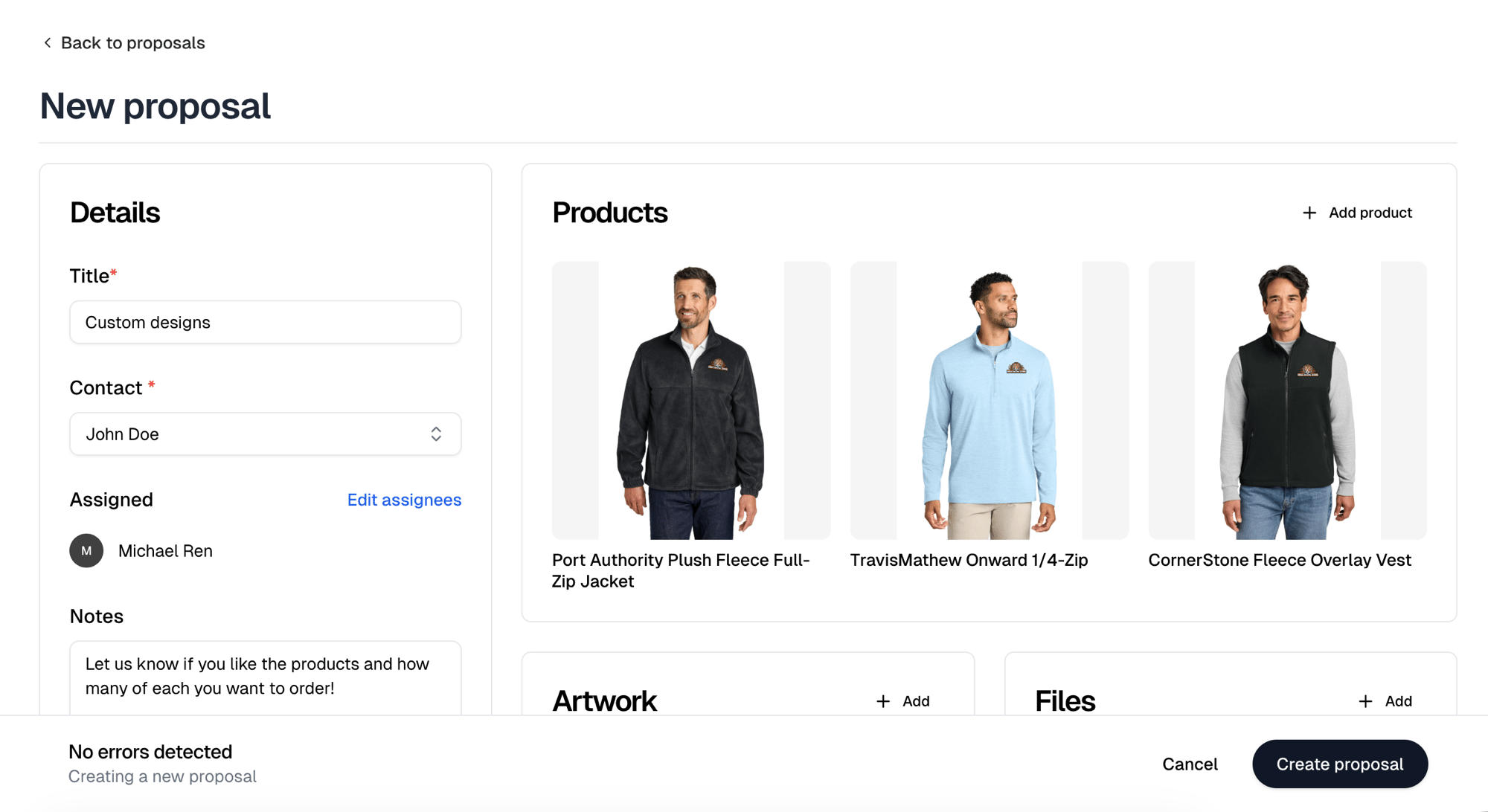
New proposal needs a Title, a Contact and at least one product.
Assignees start with you, and Notes arrives prefilled with “Let us know if
you like the products and how many of each you want to order!”
Add product offers Blanks and Products. Selecting one adds
it. A proposal carries no quantities or prices, only what you are proposing.
Adding a blank opens the Decoration tool. Choose its placement, artwork and
product colors, then Save design to replace the blank with the decorated
product. Skip leaves the blank on the proposal.
Edit design, in a product’s preview, reopens the tool on it. Saving a new
design marks that product pending again, so the customer reviews it fresh.
Artwork and Files are two cards with an Add button each. Artwork
attaches designs. Files takes anything else you want them to have, such as a
spec sheet or a mockup PDF.
Notes is what the customer reads when deciding, so use it to ask for what
you need back.
Create proposal sends it. There is no draft state and no separate send step.
The proposal goes out as Sent and the contact is emailed a link immediately.
What the customer sees
View customer page shows their view. They get the products, your artwork,
and your notes, with a pending count of what they have not answered yet.
They can:
- Open any product to see its colors, sizes and description, then Approve or
Reject it with a comment
- Approve all or Reject all, with one overall comment
Their answers
Approved and rejected products are badged on your side, and each carries the
comment the customer left.
Response history lists every response in order, so you can see what changed
if they answered more than once. It appears once the first answer arrives.
Converting to a quote
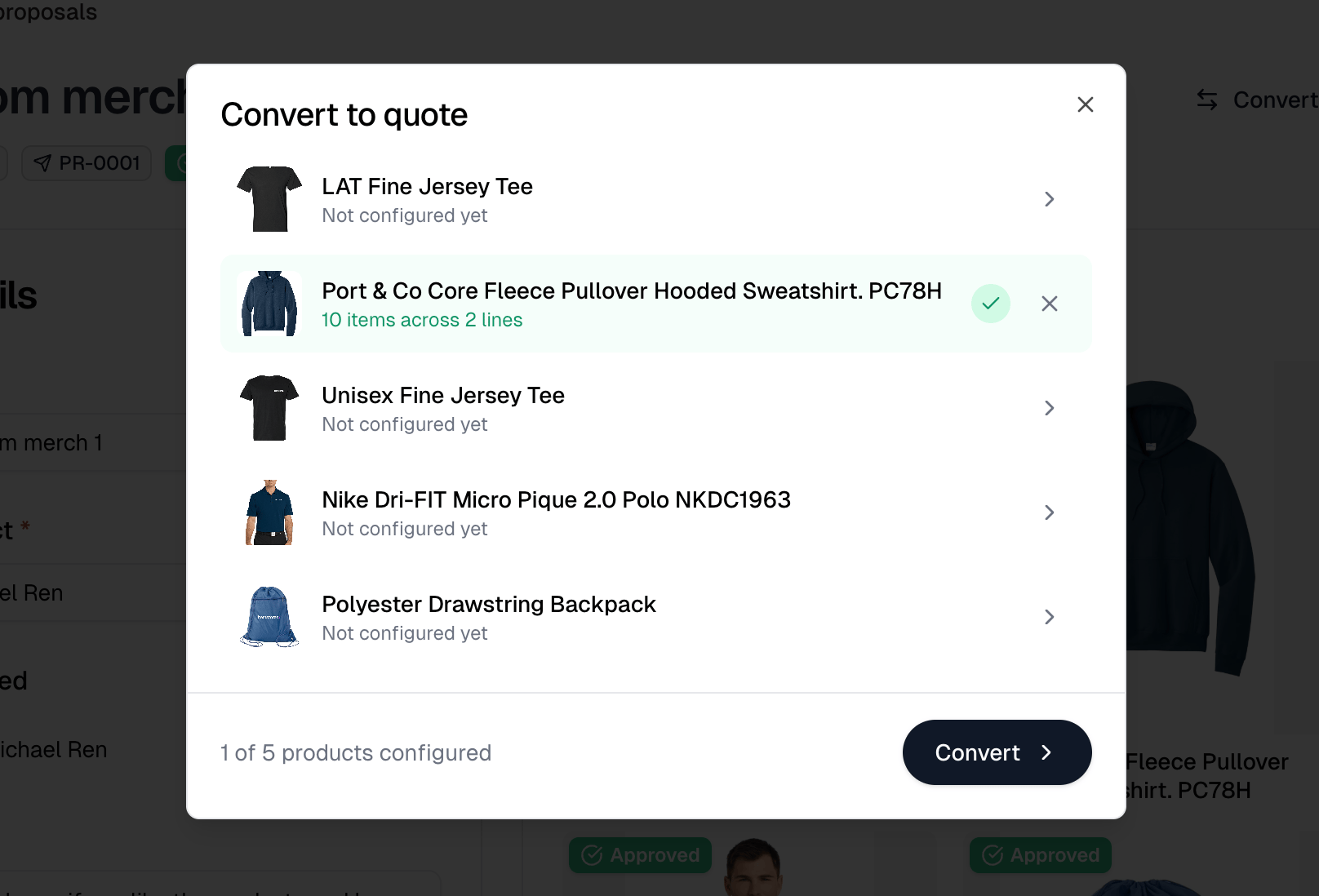
Convert to quote opens a dialog listing every product on the proposal, then
takes you to the New quote form with your choices prefilled. It appears as
soon as the proposal holds a product.
Approval does not gate this. Rejected and unanswered products are listed too,
tinted by their status, and you decide which to configure. Files and artwork
attached to rejected items are the one thing left behind.
This is where a proposal gains quantities and prices. Nothing before this point
commits the customer to an amount.
The list
Filter by All, Sent, Approved or Rejected. Assigned joins
them once a proposal is assigned to you. View archived proposals, beneath
the table, swaps the list for the archived ones.
Selecting rows hides the filters and reveals a toolbar with Archive and
Delete, or Restore and Delete on the archived view. Both ask you to
confirm.
Each row links the proposal to the quote it became and the order after that.