Connecting
Connect on the QuickBooks card in Integrations sends you to Intuit to authorize the company. Only the owner and admins can connect it, and it requires a Full or Enterprise license. Two things about the company you pick are checked before anything is stored:- It must be a US company. Other countries are refused.
- Its home currency must match your Stripe settlement currency.

Nothing posts on its own
Itemstores does not sync in the background. Every posting is something you choose to do, order by order or in bulk, and it only ever flows from Itemstores into QuickBooks. Nothing in QuickBooks changes anything in Itemstores. New controls appear elsewhere in Itemstores once you connect:
None of that exists before you connect.
Posting the same order twice is safe. Each piece of an order is recorded when it
posts, so a repeat only sends what has not gone across yet.
An overpaid order cannot be posted until you refund the difference.
Clear posting history, shown to the owner beside the posted count, makes
every order postable again. Nothing in QuickBooks is deleted, so posting again
to the same company creates duplicates.
Which customer an order posts to
Post to QuickBooks opens a dialog with a QuickBooks customer picker. Leave it on Auto to post each order to the QuickBooks customer it is linked to. The first time a customer or organization posts, Itemstores links it to a QuickBooks customer of the same name, and creates one if there is none. To post to someone else, pick another customer. Your pick becomes the default for that customer or organization from then on. Orders that already posted keep their original customer.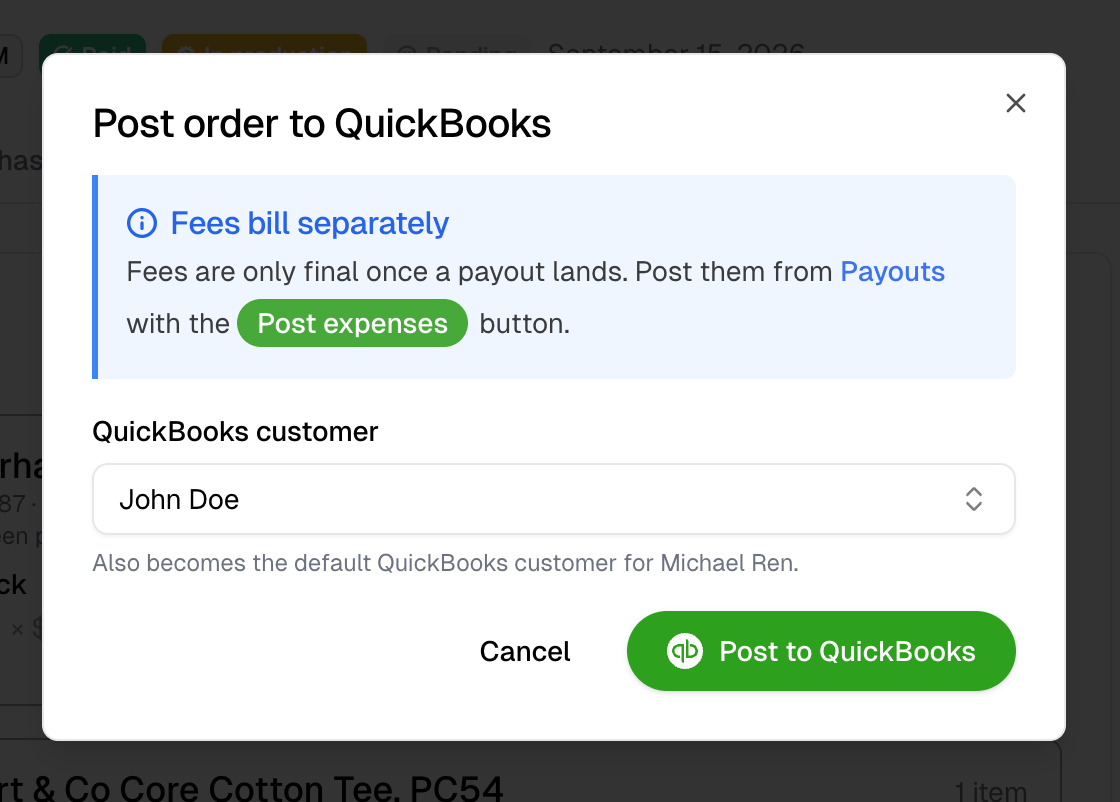
Account mapping
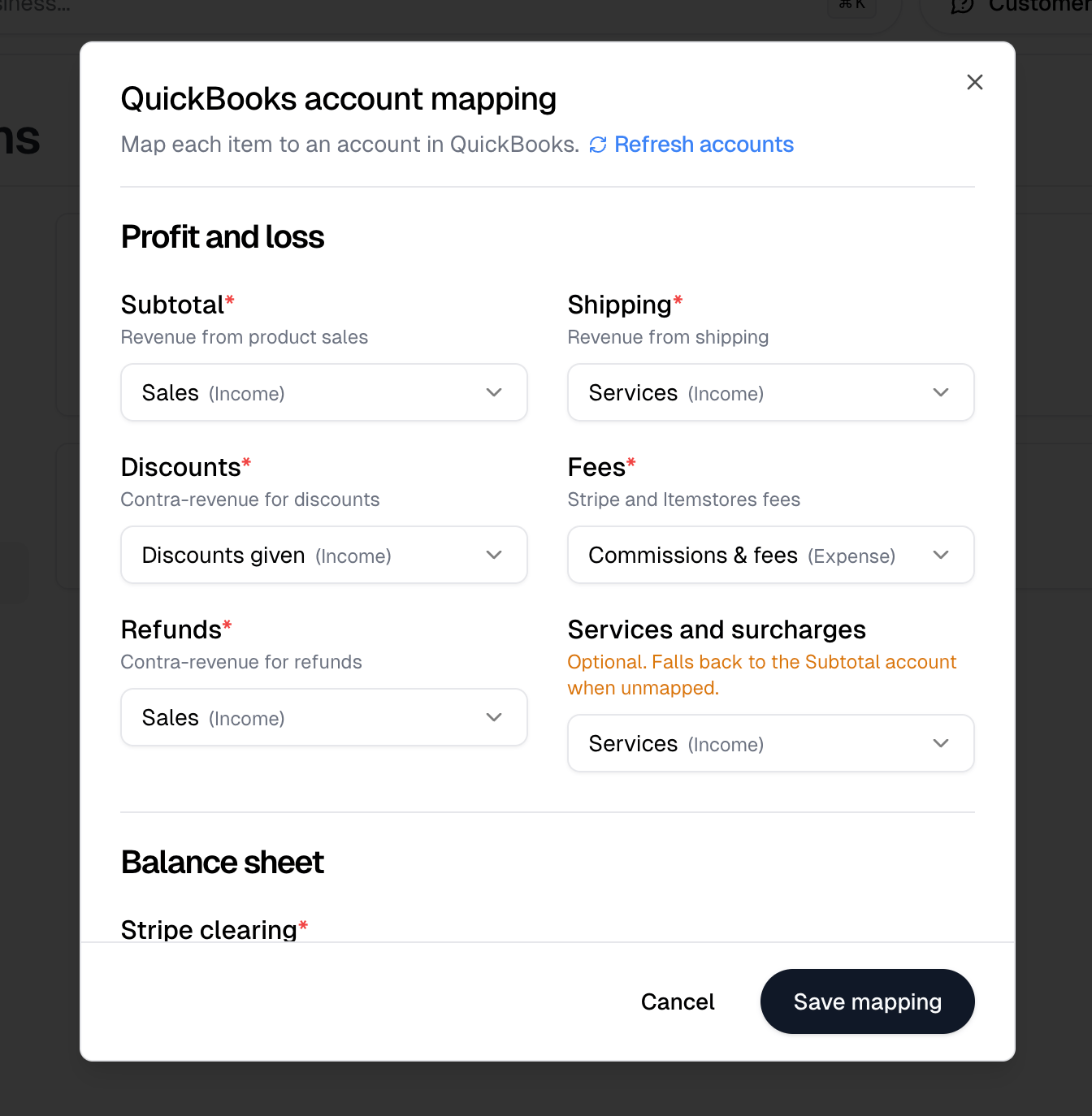
Account mapping tells Itemstores which QuickBooks account each kind of money belongs in. Refresh accounts re-reads your chart of accounts if you have just added one, and Save mapping stores your choices. For a required item where you have no eligible account at all, Itemstores offers to create one.Profit and loss
Every item here is required except the last.Changing an income account later does not move revenue that already posted, and
mostly does not affect future postings of existing products either. QuickBooks
keeps the account each product was created with, so a remap applies to products
created from then on. Discounts are the exception and follow the mapping right
away. To move existing revenue, edit the product in QuickBooks.
Balance sheet
Stripe clearing is required. It holds Stripe money until a payout lands, so funds in transit reconcile.Create a Stripe Clearing bank account in QuickBooks for this. An Other Current
Asset account also works and keeps the float out of cash.