The flow
1
Find a blank
Import an undecorated garment from the supplier catalog, or add your own.
2
Decorate it
Upload artwork, pick colorways, and place it on the blank.
3
Make a product
A blank plus decoration, priced and ready to sell.
4
Sell it
List products in a store, or send a quote.
5
Fulfill the order
Buy the blanks, decorate them, ship them.
6
Get paid
Payouts land in your bank account.
Two ways an order arrives
A customer buys from a store, or you send a quote and they pay it. Either way you end up with an order. A quote can start as a proposal, which lets customers approve designs before anything is priced. See Sell with quotes and proposals.Fulfilling an order
1
Purchase order
Create a purchase order for the blanks
and stock you need.
2
Work order
Once the stock arrives and you have received it, create a
work order to decorate and build the items.
3
Shipping label
Buy a label in Shipping and send it to the
customer.
Inventory
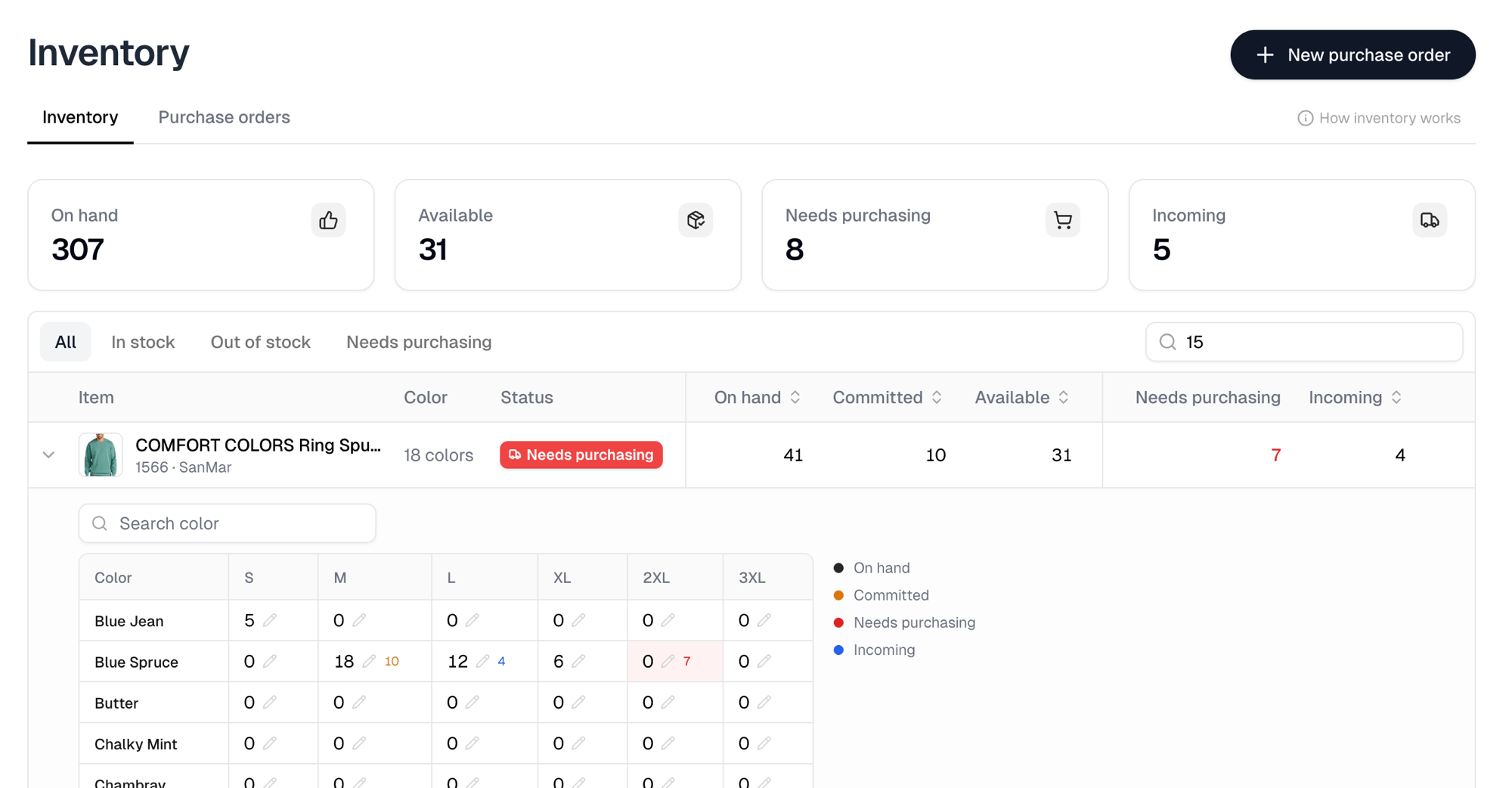
On hand is your physical shelf count, which is available plus committed. Available is free stock new orders draw from. Committed is stock already allocated to incomplete orders. Incoming is stock on open purchase orders. An item needs purchasing when incomplete orders aren’t covered by available or incoming stock. Itemstores works that out across all of your open orders, so you create one purchase order instead of checking orders one at a time. Inventory is tracked per SKU, so several products sharing a SKU draw from the same stock.