> ## Documentation Index
> Fetch the complete documentation index at: https://itemstores.com/help/llms.txt
> Use this file to discover all available pages before exploring further.
# Surcharges
> Add a surcharge to credit card payments
Only the business owner and admins can open this page. It appears once Stripe
is connected.
## Turn on credit card surcharging
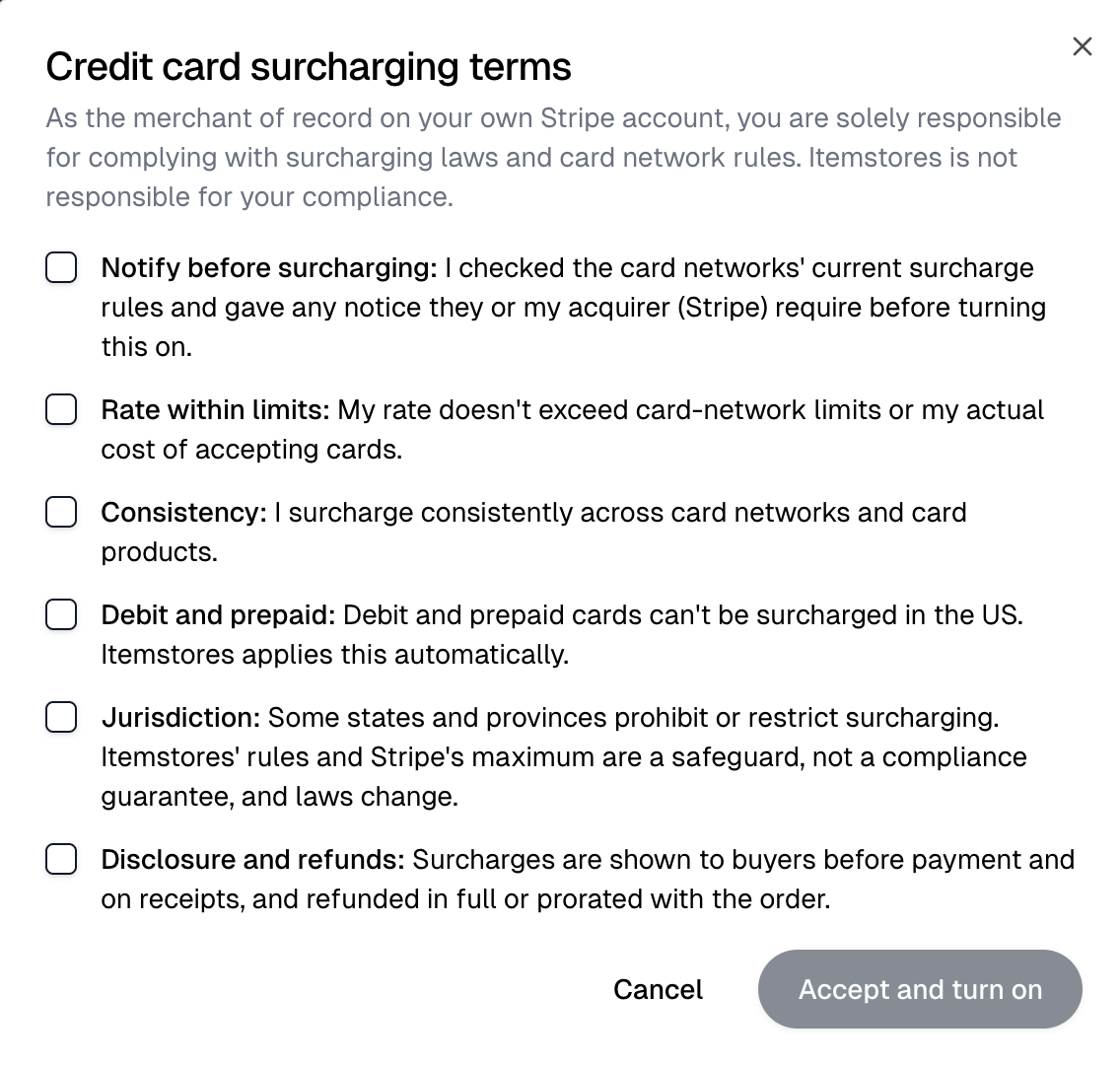
Turn on **Credit card surcharging**. The terms open first. Check all six items,
then select **Accept and turn on**. You are responsible for complying with
surcharging laws and card network rules.
 Then set **Credit card surcharge rate (%)**, up to 3%, and select **Save**. The
rate field unlocks once surcharging is on.
Then set **Credit card surcharge rate (%)**, up to 3%, and select **Save**. The
rate field unlocks once surcharging is on.
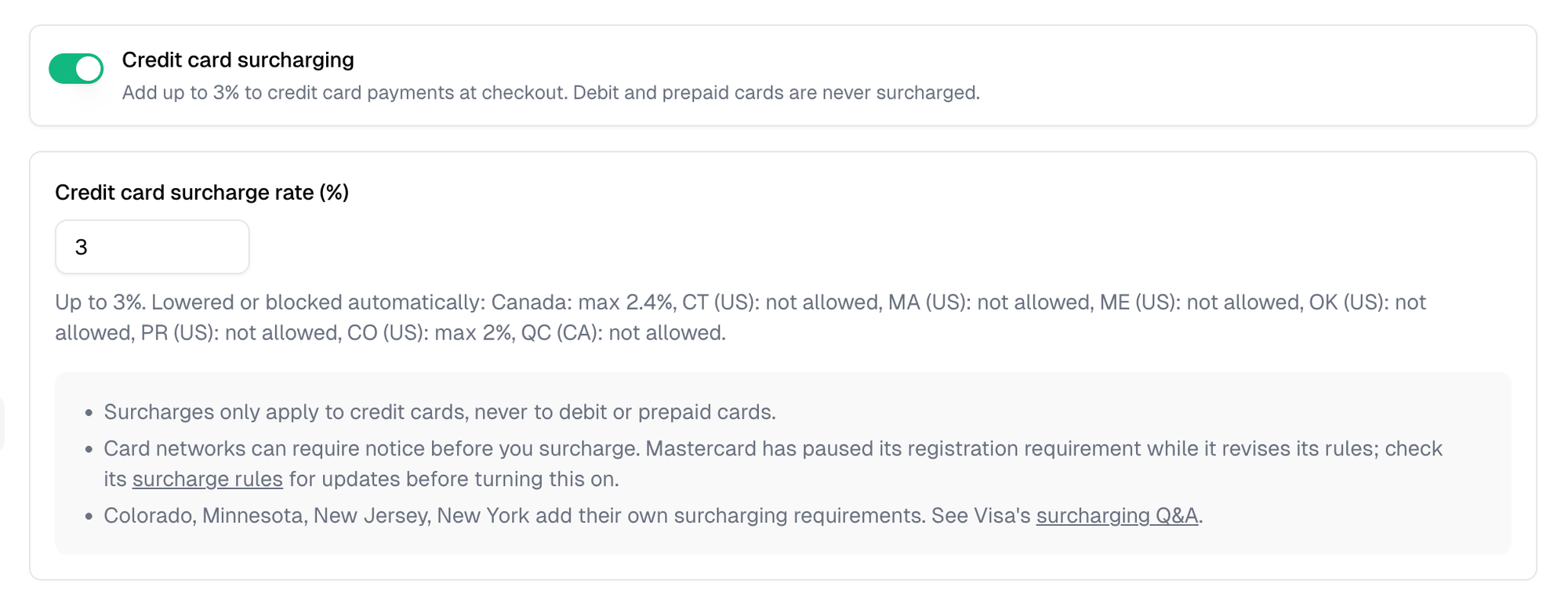 Only credit cards are surcharged. Debit and prepaid cards never are. Where a
state or province limits or bans surcharges, the rate is lowered or removed
automatically. The list sits under the rate field.
## What customers see
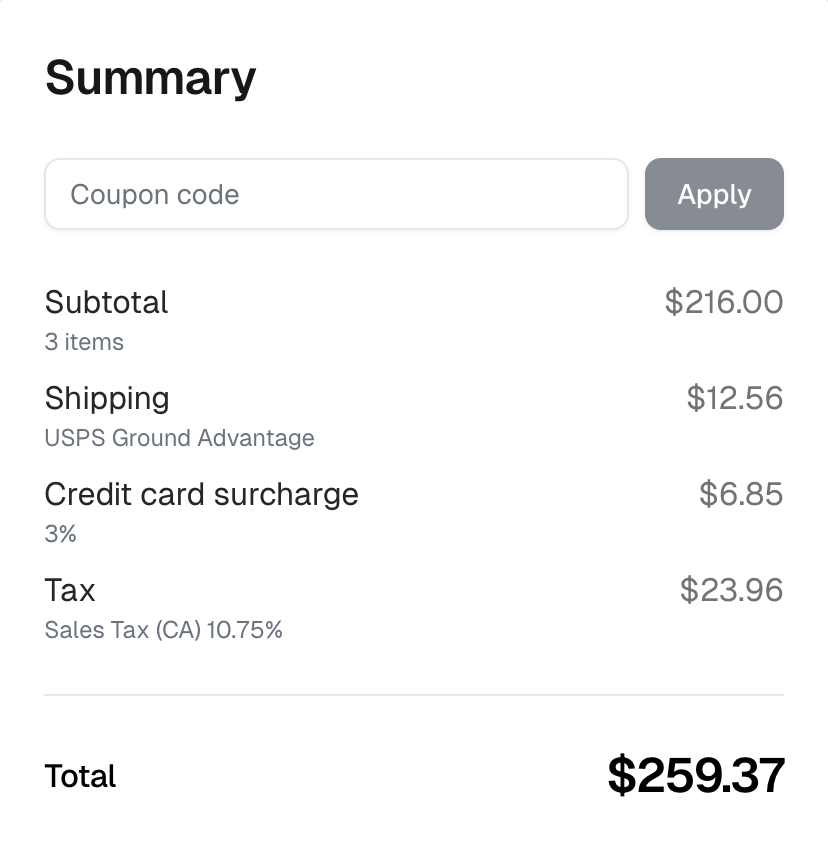
Once a customer enters a credit card, checkout shows the surcharge as its own
line with its rate, and "Credit cards carry a 3% surcharge." above the pay
button. The receipt lists it separately too.
Only credit cards are surcharged. Debit and prepaid cards never are. Where a
state or province limits or bans surcharges, the rate is lowered or removed
automatically. The list sits under the rate field.
## What customers see
Once a customer enters a credit card, checkout shows the surcharge as its own
line with its rate, and "Credit cards carry a 3% surcharge." above the pay
button. The receipt lists it separately too.
 ## When the terms change
When the terms are updated, surcharges stop until you accept them again. Select
**Review terms** on this page.
This documentation is built and hosted on [Mintlify](https://mintlify.com), a developer documentation platform.
## When the terms change
When the terms are updated, surcharges stop until you accept them again. Select
**Review terms** on this page.
This documentation is built and hosted on [Mintlify](https://mintlify.com), a developer documentation platform.