> ## Documentation Index
> Fetch the complete documentation index at: https://itemstores.com/help/llms.txt
> Use this file to discover all available pages before exploring further.
# Shipping
> Carriers, packages and origin addresses
Set up here before you try to buy a label in
[Shipping](/help/knowledge-base/shipping).
 ## Carrier accounts
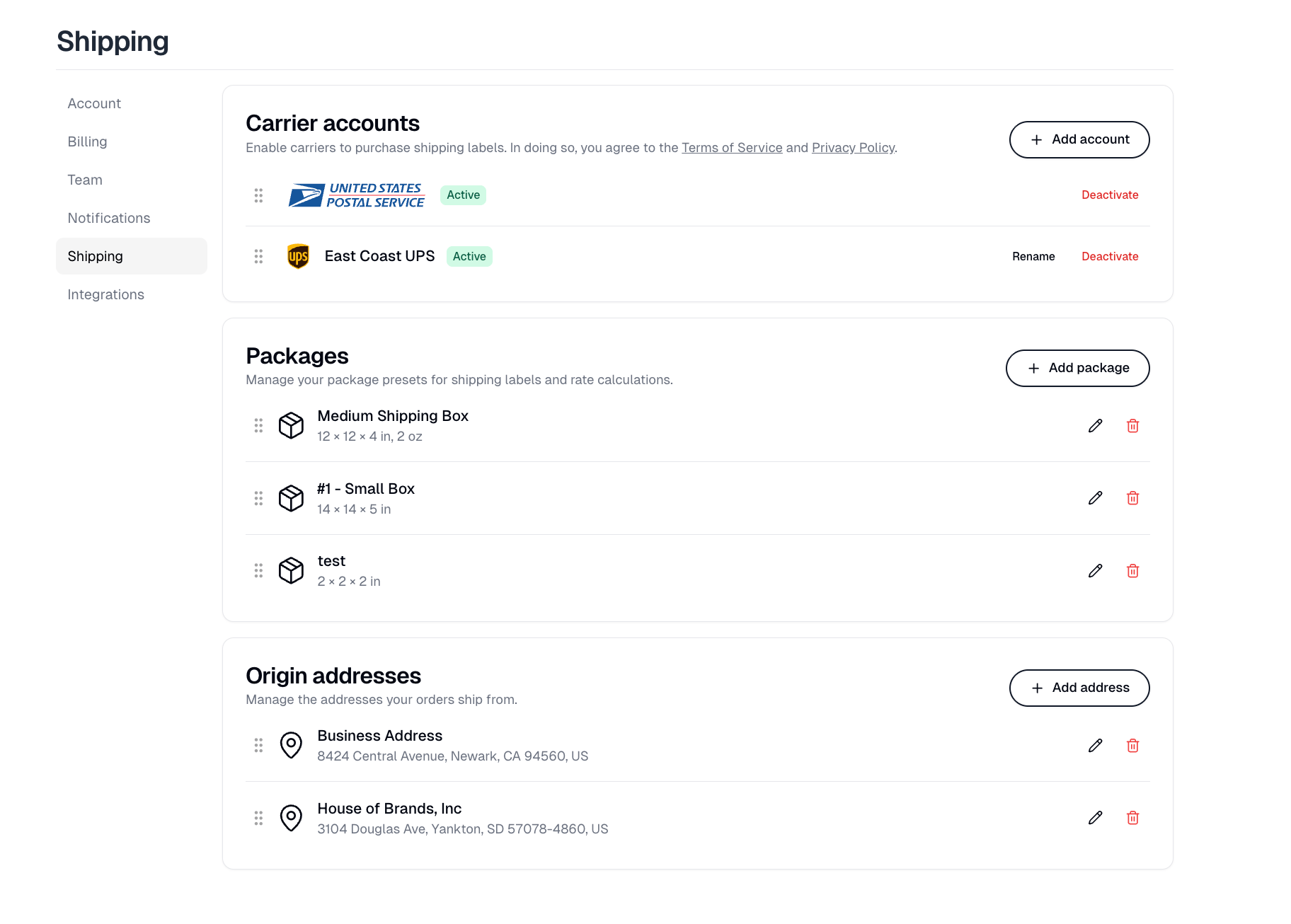
**Add account** opens **Add a carrier account**. Without at least one carrier,
you cannot buy labels, and a store cannot offer calculated shipping rates at
checkout.
How you pay differs by carrier:
| Carrier | How it works |
| ----------------- | -------------------------------------------------------- |
| USPS, Canada Post | Bought from Itemstores with credits, at discounted rates |
| UPS | Connect your own UPS account. UPS bills you directly |
Canada Post asks you to accept its terms before it is enabled. UPS sends you to
UPS to authorize the connection.
FedEx and DHL Express are listed in the picker as Coming soon and cannot be
added yet.
A connected UPS account can be renamed, which is worth doing when you have more
than one. **Deactivate** stops a carrier being offered without removing it, and
the row stays in the list marked Deactivated with a **Reactivate** button.
Drag the handles to reorder carriers.
## Packages
Your box presets, each with dimensions and an empty weight. They feed both the
package picker when buying a label and the rate calculation at checkout, so a
preset that does not match a real box will quote the wrong price.
**Add package** creates one; the pencil edits and the trash removes.
## Origin addresses
The addresses your orders ship from, added with **Add address** and edited or
removed with the pencil and trash icons. Keep several if you ship from more than
one place, and drag the handles to reorder them.
Each store picks one of these in its own shipping settings, and that is the
**From** address on the store's labels and packing slips. A store with nothing
picked defaults to the first address in this list.
## Carrier accounts
**Add account** opens **Add a carrier account**. Without at least one carrier,
you cannot buy labels, and a store cannot offer calculated shipping rates at
checkout.
How you pay differs by carrier:
| Carrier | How it works |
| ----------------- | -------------------------------------------------------- |
| USPS, Canada Post | Bought from Itemstores with credits, at discounted rates |
| UPS | Connect your own UPS account. UPS bills you directly |
Canada Post asks you to accept its terms before it is enabled. UPS sends you to
UPS to authorize the connection.
FedEx and DHL Express are listed in the picker as Coming soon and cannot be
added yet.
A connected UPS account can be renamed, which is worth doing when you have more
than one. **Deactivate** stops a carrier being offered without removing it, and
the row stays in the list marked Deactivated with a **Reactivate** button.
Drag the handles to reorder carriers.
## Packages
Your box presets, each with dimensions and an empty weight. They feed both the
package picker when buying a label and the rate calculation at checkout, so a
preset that does not match a real box will quote the wrong price.
**Add package** creates one; the pencil edits and the trash removes.
## Origin addresses
The addresses your orders ship from, added with **Add address** and edited or
removed with the pencil and trash icons. Keep several if you ship from more than
one place, and drag the handles to reorder them.
Each store picks one of these in its own shipping settings, and that is the
**From** address on the store's labels and packing slips. A store with nothing
picked defaults to the first address in this list.