> ## Documentation Index
> Fetch the complete documentation index at: https://itemstores.com/help/llms.txt
> Use this file to discover all available pages before exploring further.
# Catalog
> Supplier garments you can import
The catalog is every supplier style available to import as a
[blank](/help/knowledge-base/blanks). Browse it, then import what you need.
## Finding a style
Filter by **Supplier**, **Brand** or **Category**, or search by style. Each card
shows its style number, supplier, brand, price range, available colors and size
range.
If a supplier you buy from is not listed, contact support. The supplier list is
maintained by Itemstores rather than added by you.
## Importing a style
Opening a style gives you its full detail and its own import screen. See
[Importing a style](/help/knowledge-base/catalog/import).
## Integrated and custom catalogs
**Integrated catalog** is the supplier styles Itemstores syncs, with pricing,
colors, sizes and stock kept up to date for you.
**Custom catalog** is styles you have added yourself, for products no integrated
supplier carries.
## Adding your own style
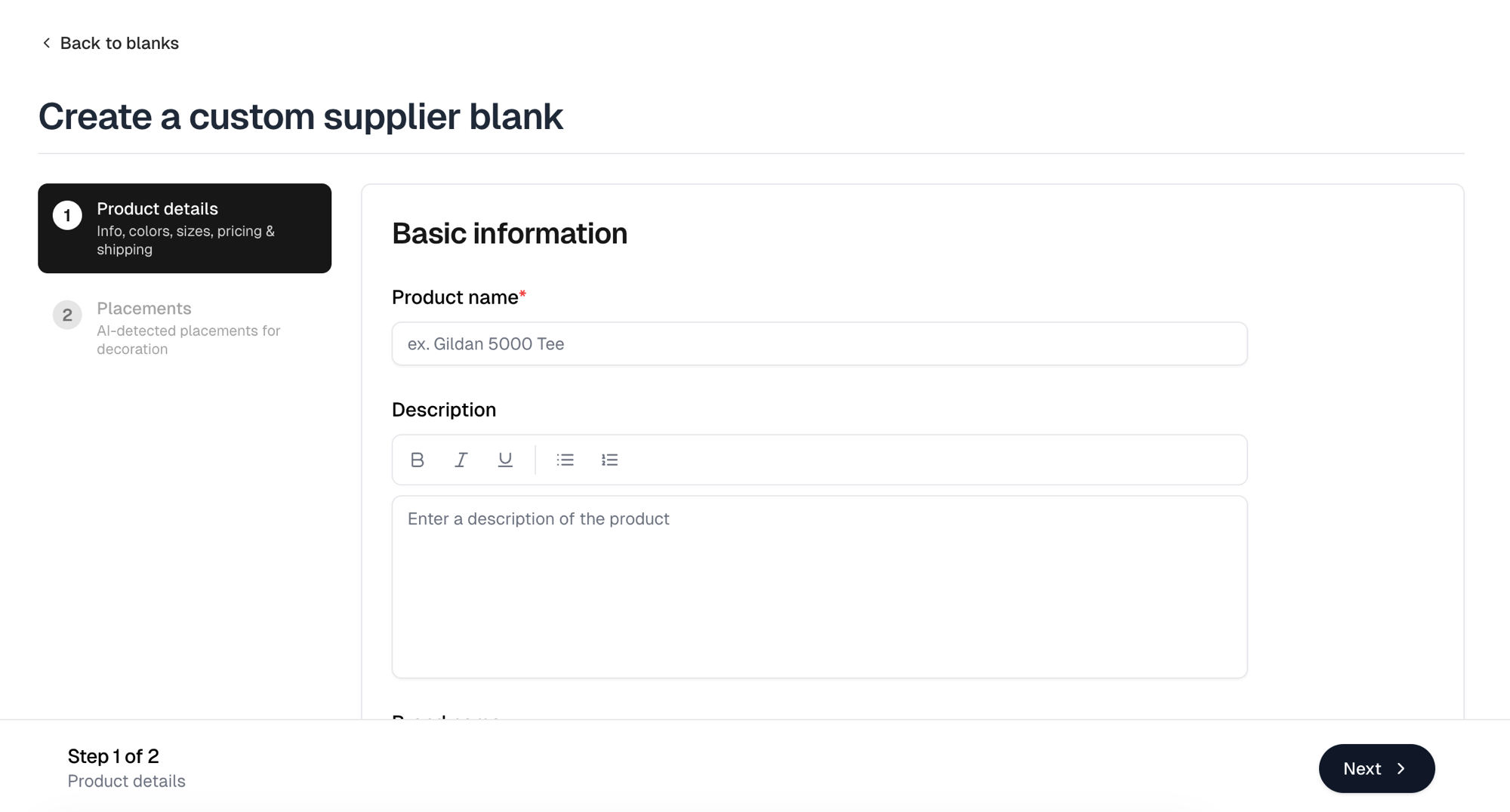
**New supplier blank** creates a custom catalog entry in two steps.
Product name, description, brand, supplier, SKU or style, and category, plus
its colors, sizes, pricing and shipping.
Product name and supplier are required, as is at least one color carrying at
least one image, at least one size, and a price in every color and size cell.
**Next** checks the name, colors, sizes and prices before it moves on. A
missing supplier is caught when you create the blank.
Itemstores detects the decoration placements from the images you uploaded.
This is an editor, not a preview: adjust a placement here and it saves with
the blank, so artwork can be positioned on it like any other blank.
**Create supplier blank** opens **Import as blank**, where you set the primary
decoration method and any [pricing rules](/help/knowledge-base/pricing-rules).
**Create blank** then creates the catalog entry and imports it as a
[blank](/help/knowledge-base/blanks) in one go, then takes you to your blanks filtered
to it.
 ## Keeping up to date
Integrated catalog styles refresh on a schedule, so new colors, price changes
and discontinued styles arrive on their own. A style pulled by a supplier stops
being available to import.
## Keeping up to date
Integrated catalog styles refresh on a schedule, so new colors, price changes
and discontinued styles arrive on their own. A style pulled by a supplier stops
being available to import.